.JEM Estensione file

JSON Entity Model File

Sviluppatore sp614x
Popolarità
4.1  |  15 Voti
 

Che cos'è un file JEM?

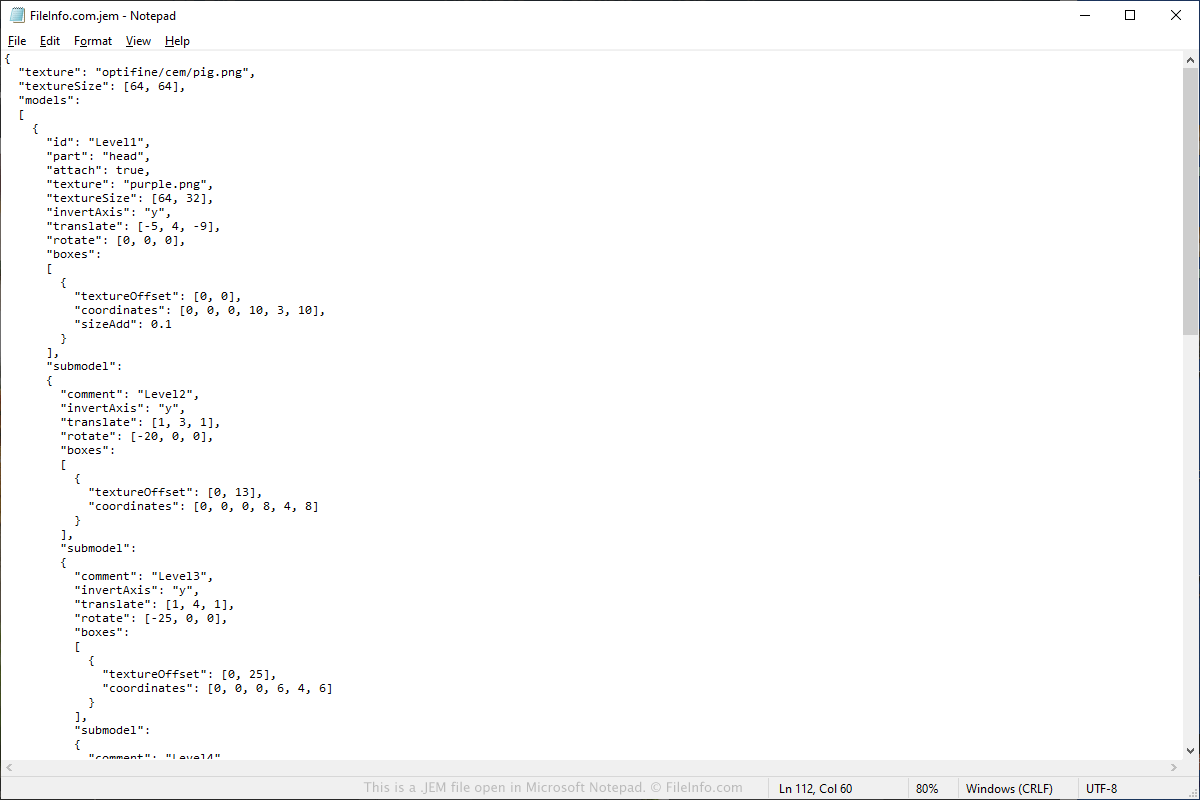
A JEM file contains entity model information used to alter models in Minecraft with the OptiFine mod tool installed. It stores information about the model in JSON format, which may include the path to a .PNG image that textures the model and information about various parts of the model.

Maggiori informazioni

Screenshot di un file .jem in Microsoft Notepad
File JEM aperto in Microsoft Notepad

You will most likely only encounter a JEM file if you are looking to alter the appearance of entities in Minecraft with the Optifine optimization mod installed. Some entities that Minecraft users modify include cows, creepers, dragons, chickens, books, and chests.

If you are looking to override an entity model, you can place the JEM file in the following directory in the resource pack:

assets/​minecraft/​optifine/​cem

Once the JEM file is placed in the directory, the model will appear in Minecraft as long as the OptiFine optimization mod is installed.

Come aprire un file JEM

You can open and edit JEM files with various model editors, such as Blockbench and Cubik Studio. These tools allow you to visualize the model while you edit JEM files.

Since JEM files are saved in plain text in JSON format, you can also open and edit the files with text editors. Keep in mind that you will not be able to view the models when editing them.

Apri oltre 400 formati di file con File Viewer Plus.Download gratuito

Programmi che aprono i file JEM

Categoria: Gioco
Aggiornato: 2021-08-09

Gogii Games Texture

Sviluppatore Gogii Games
Popolarità
3.0  |  2 Voti
 

A JEM file is a texture used in a Gogii Games video game, such as Princess Isabella 2 or Whispered Legends: Tales of Middleport. It is applied to a 3D model to give the appearance of skin, clothing, etc. JEM files are not intended to be opened by players.

Maggiori informazioni

Gogii Games is a Canadian video game developer known primarily for publishing hidden object and adventure games. The company uses the Kanji Game Engine to develop many of its games. Games developed using the Kanji Game Engine often store textures as JEM files.

Come aprire un file JEM

JEM files cannot be opened outside the games they are included in. However, you can use QuickBMS and the appropriate JEM .BMS script to convert JEM files to .DDS files. Then, you can open the DDS files in IrfanView, GIMP, or another program that supports DDS files.

Programmi che aprono o fanno riferimento ai file JEM

All Platforms
Various Gogii Games video games
Windows
Gratuito
Categoria: Gioco
Aggiornato: 2022-03-02

Verificato da FileInfo.com

Il team di FileInfo.com ha analizzato in modo indipendente tutti i formati di file e i programmi software elencati in questa pagina. Il nostro obiettivo è il 100% di accuratezza e pubblichiamo solo informazioni sui tipi di file che abbiamo verificato.

Se desideri suggerire aggiunte o aggiornamenti a questa pagina, faccelo sapere.