.PCD Extension de fichier

Kodak Photo CD Image

Développeur Kodak
Popularité
3.3  |  12 Votes
 
🔍Ouvrez les fichiers .PCD directement dans votre navigateur avec File Helper.Voir en ligne

Qu'est-ce qu'un fichier PCD ?

A PCD file is an image saved in the proprietary Kodak Photo CD (PCD) format. It stores a digital copy of an actual photograph that has been scanned using Kodak's photo processing hardware and stored on a compact disc (CD).

Plus d'informations

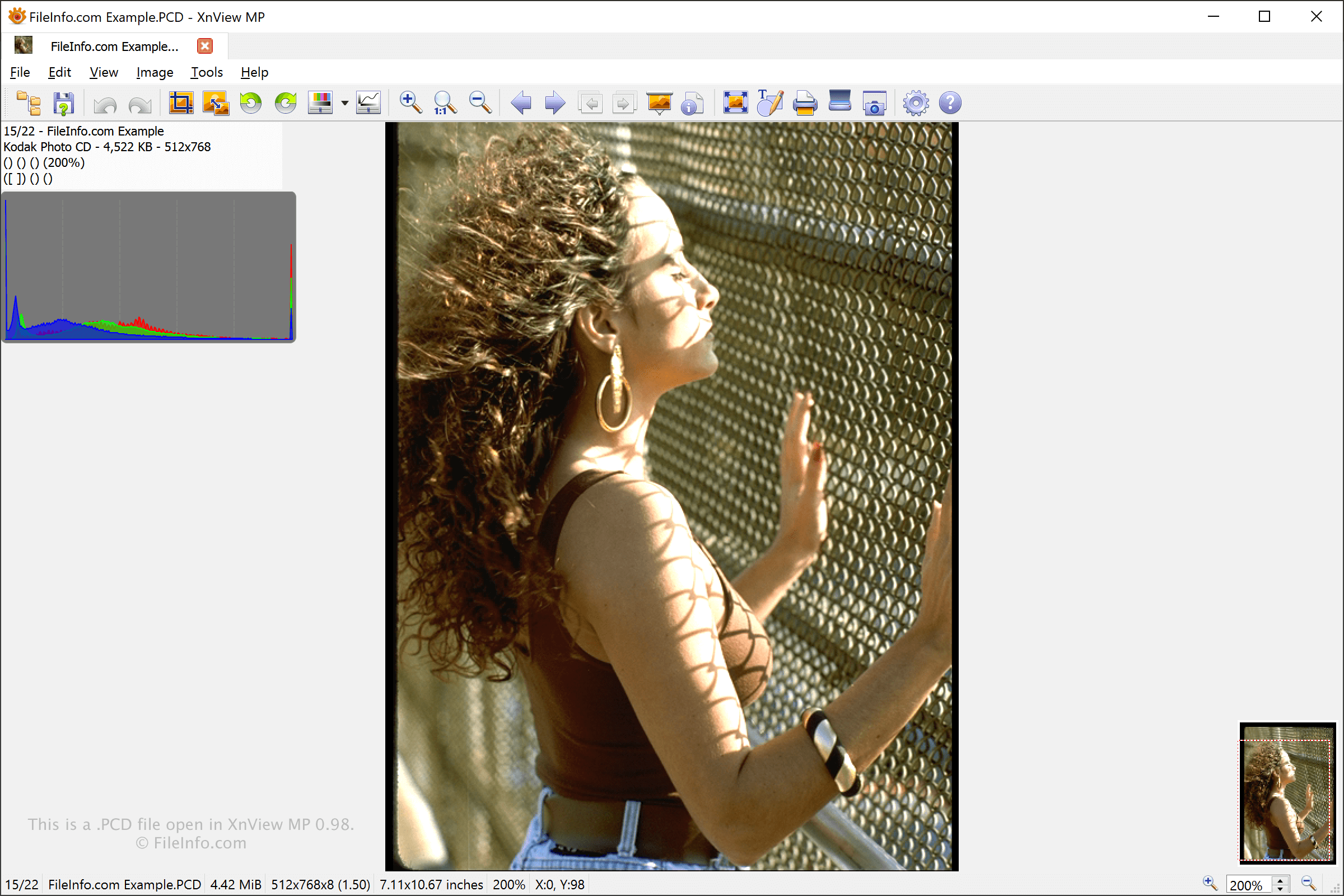
Capture d'écran d'un fichier .pcd dans XnViewMP
Fichier PCD ouvert dans XnViewMP

Kodak developed the PCD format to enable users to preserve their physical photographs in a digital format on a Photo CD. Users could then insert the Photo CD into the computer to view and edit their images with an image editor or archive them.

PCD images scanned with Kodak photo processing hardware are typically scanned at a resolution of 3072 x 2048 pixels. However, the images may also be scanned at 6144 x 4096 using Kodak's Pro Photo CD service. Both formats support 24-bit color.

PCD files typically contain five copies of the image at different resolutions, and Pro Photo CD images contain an additional sixth image that is 6144 x 4096 pixels in size. The smallest image size is 192 x 128 pixels, and this image is used as a thumbnail for browsing all the photos on the CD at once.

Comment ouvrir un fichier PCD

You can open PCD images with several applications, including IrfanView (Windows), XnViewMP (multiplatform), Corel PaintShop Pro (Windows), and Lemkesoft GraphicConverter (macOS).

Comment convertir un fichier PCD

You can use XnViewMP (multiplatform) and IrfanView (Windows) to convert PCD files to many common image formats, including:

  • .JPG - JPEG Image
  • .GIF - Graphical Interchange Format
  • .PNG - Portable Network Graphic
  • .TIFF - Tagged Image File Format
  • .BMP - Bitmap Image
  • .PCX - Paintbrush Bitmap Image
  • .TGA - Targa Graphic
  • .JP2 - JPEG 2000 Core Image
  • .WEBP - WebP Image

You can use pcdtojpeg (multiplatform) to convert PCD files to the JPG format.

Programmes qui ouvrent les fichiers PCD

Windows
Version d'essai gratuite
Gratuit
Gratuit
Gratuit
Mac
Gratuit
Version d'essai gratuite
Gratuit
Linux
Gratuit
Gratuit
Web
Android
Chrome OS
Gratuit

Pokémon Wonder Card File

Développeur Pokémon Mystery Gift Editor
Popularité
3.6  |  5 Votes
 

Game file used by Pokémon games for the Nintendo DS portable gaming device; stores information for a Wonder Card, which can be contained in a "mystery gift" received from the in-game deliveryman at the Poké Mart; unlocks items and events in the game.

Plus d'informations

Wonder Card data is saved within Pokémon saved games (.SAV files), which are created on Nintendo DS cartridges. Pokesav and the Pokémon Mystery Gift Editor can edit PCD files, and Pokesav can import them into existing SAV files.

Programmes qui ouvrent ou référencent les fichiers PCD

Windows
Catégorie : Jeu
Mis à jour : 2011-04-13

Pure Component Data File

Développeur ChemSep
Popularité
3.0  |  7 Votes
 

Chemical data file created by ChemSep, a column simulator for distillation, extraction, and absorption operations; contains critical, molecular, EOS, T correlations, and other data for components, which include benzene, phenol, cyclohexanone, carbon dioxide, aniline, and bromobenzene.

Plus d'informations

Data recorded in the PCD file appears in the International System of Units (SI) except for molar amounts, which are recorded in kmol. You can view the data in ChemSep PCD files through the PCDmanager, which is accessible by selecting Databanks → Pure components data (PCD/PCT).

REMARQUE: Data in PCD files is stored in binary format, whereas .PCT files store data in text format.

Programmes qui ouvrent les fichiers PCD

Windows
Gratuit
Catégorie : Données
Mis à jour : 2015-09-29

Vérifié par FileInfo.com

L'équipe FileInfo.com a mené des recherches indépendantes sur tous les formats de fichiers et logiciels répertoriés sur cette page. Notre objectif est une précision de 100%, et nous ne publions que des informations sur les types de fichiers que nous avons vérifiés.

Si vous souhaitez suggérer des ajouts ou des mises à jour de cette page, faites-le-nous savoir.