

.COPF Extension de fichier
Fichier d’opération de copie
| Développeur | Vovsoft |
| Popularité |
3,4 | 9 Votes |
Qu'est-ce qu'un fichier COPF ?
Un fichier COPF est un fichier d’opération de copie utilisé par Copy Files Into Multiple Folders, une application de copie de fichiers par lots développée par Vovsoft. Il contient une liste en texte brut des fichiers à copier et une liste des dossiers vers lesquels les fichiers seront copiés. Les fichiers COPF sont créés en sélectionnant dans la barre de menus de Copy Files Into Multiple Folders.
Plus d'informations
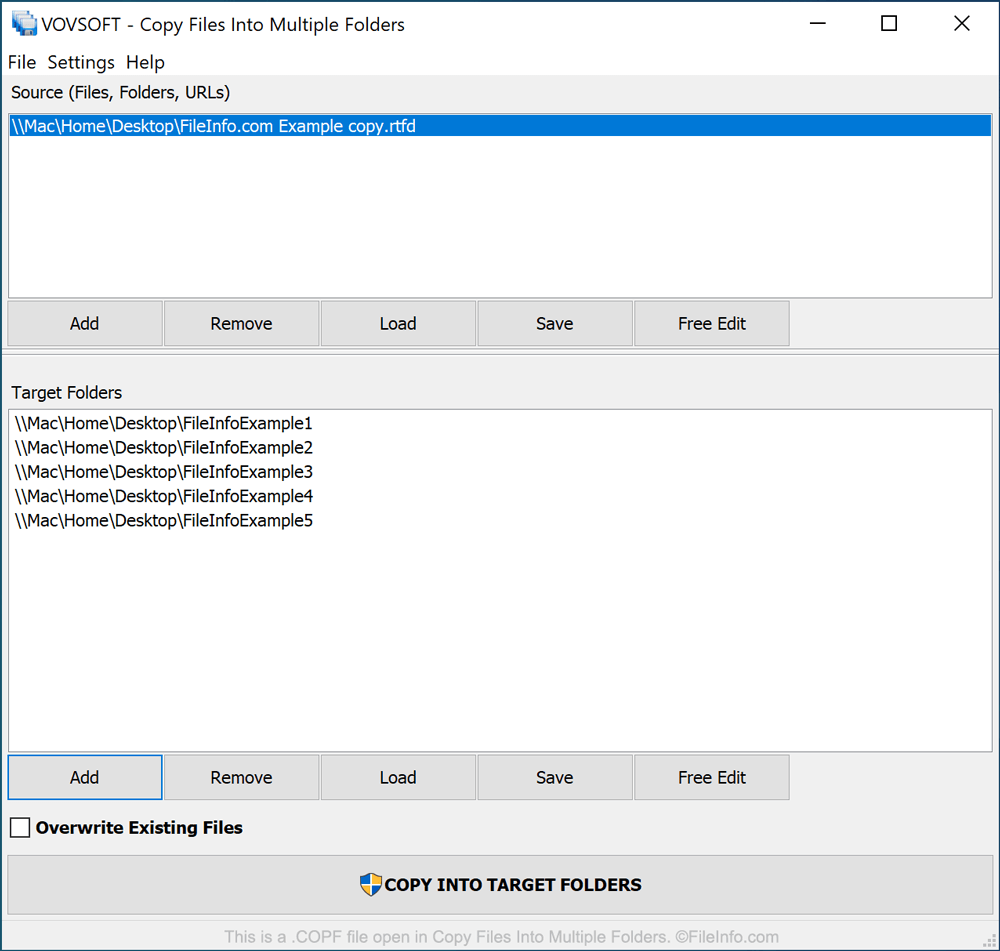
Copy Files Into Multiple Folders est une application Windows qui permet aux utilisateurs de copier un nombre quelconque de fichiers vers un nombre quelconque de dossiers. Elle permet ainsi d’effectuer rapidement des tâches de copie de fichiers qui seraient autrement fastidieuses.
Si un utilisateur prévoit d’effectuer plusieurs fois la même opération de copie de fichiers, ou s’il souhaite créer un modèle de copie de fichiers qu’il pourra charger et modifier ultérieurement, il peut enregistrer la liste des fichiers qu’il copie et des dossiers vers lesquels il les copie dans un fichier COPF. Les fichiers COPF sont enregistrés au format texte brut. En plus de pouvoir les utiliser dans Copy Files Into Multiple Folders, vous pouvez donc les ouvrir et les examiner dans n’importe quel éditeur de texte.
Comment ouvrir un fichier COPF
Vous pouvez ouvrir un fichier COPF dans Copy Files Into Multiple Folders (Windows). Pour ce faire, sélectionnez dans la barre de menus du programme.