

.OMFL Přípona souboru
Seznam souborů Open Multiple Files
| Vývojář | Vovsoft |
| Popularita |
3,4 | 8 hlasů |
Co je soubor OMFL?
Soubor OMFL je seznam souborů používaný aplikací Open Multiple Files pro otevírání souborů, kterou vyvinula společnost Vovsoft. Obsahuje seznam souborů, složek a/nebo adres URL v prostém textu, které může uživatel otevřít současně pomocí aplikace Open Multiple Files. Soubory OMFL se vytvářejí výběrem možnosti v panelu nabídek aplikace Open Multiple Files.
Další informace
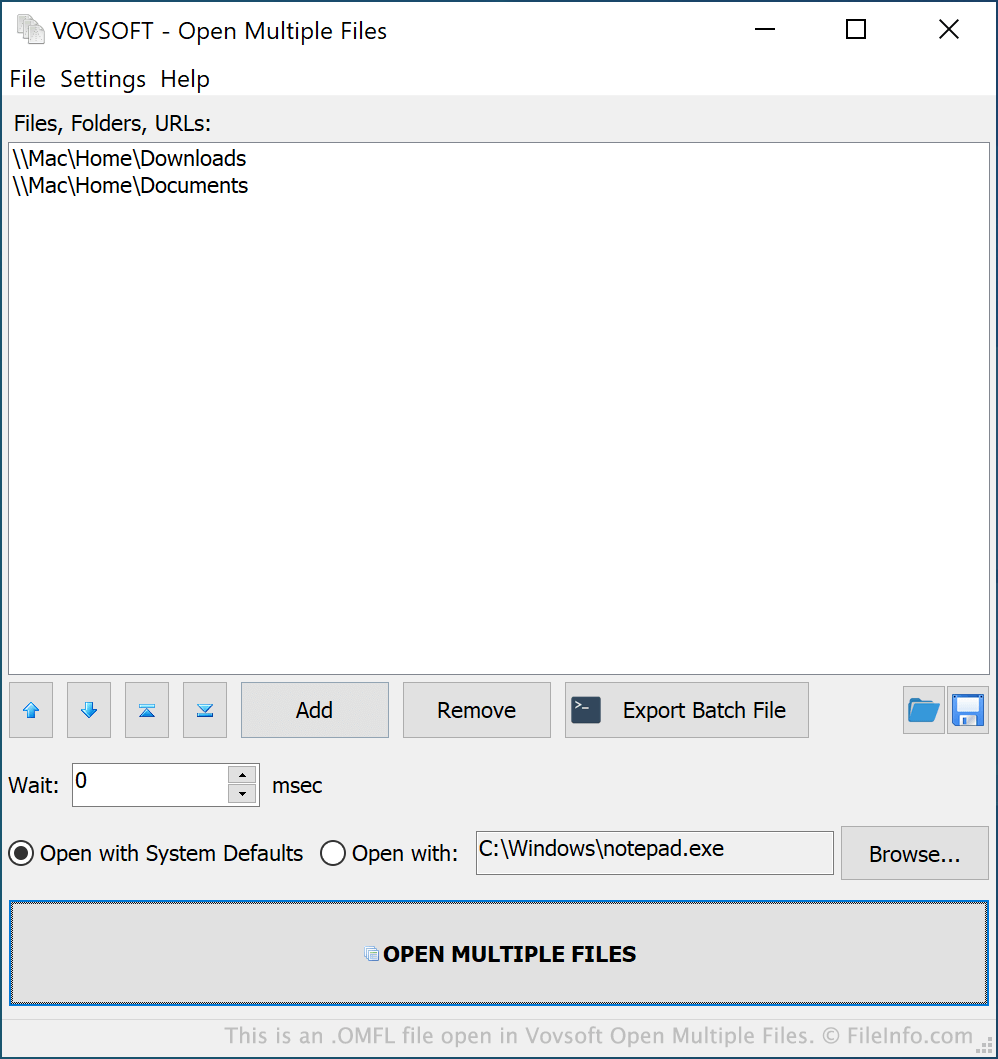
Open Multiple Files je aplikace pro Windows, která uživatelům umožňuje současně otevírat více souborů, složek a adres URL. Uživatelé za tímto účelem přidávají soubory, složky a adresy URL do seznamu v aplikaci Open Multiple Files. Poté kliknou na tlačítko , čímž otevřou všechny položky přidané do seznamu.
Pokud uživatel očekává, že bude chtít stejnou skupinu položek otevřít vícekrát (například proto, že pracuje na projektu, který používá soubory uložené ve více složkách), může tuto skupinu uložit jako seznam souborů aplikace Open Multiple Files neboli soubor OMFL. Chce-li tuto skupinu souborů znovu rychle otevřít, může načíst svůj soubor OMFL v aplikaci Open Multiple Files a kliknout na tlačítko .
Jak otevřít soubor OMFL
Soubor OMFL můžete otevřít v aplikaci Open Multiple Files (Windows). Za tímto účelem vyberte v panelu nabídek aplikace možnost . Poté vyhledejte a otevřete svůj soubor OMFL.